
Publish Studio clips and discuss them
Share a reviewed clip, manage changes, and use timestamped comments.
Publish a reviewed clip
Add footage to the timeline first. Publishing is unavailable for an empty clip and while a recording is still pending; save or deliberately discard that recording before continuing.
Play through the footage, annotations, and recording before sharing. Select Publish in the editor. Add a clear title and an optional description, then complete Publish in the dialog.
Publishing creates a public link: anyone with that link can watch. Share only footage and commentary appropriate for that audience. Use Copy link once the link is available.
Update or withdraw a clip
Editing a published clip saves a private draft. Viewers continue to see the published version until you choose Publish changes. Review the revised version before updating the public copy.
Use Unpublish in the publish dialog to withdraw the public version. This is different from deleting the clip from the library.
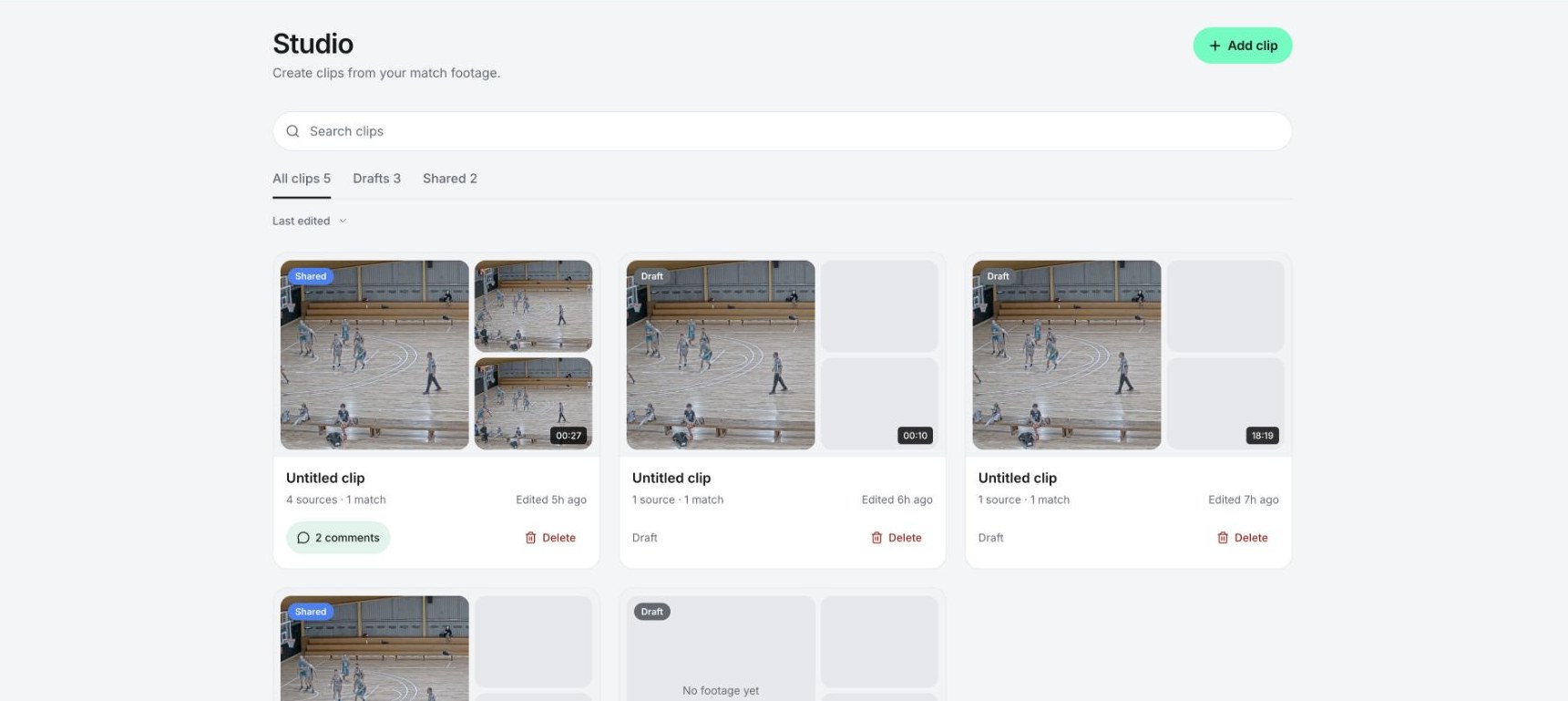
Studio's library of draft and shared coaching clips.
Watch and navigate
Shared clips have a viewing page with playback and an outline of the clip's sections. Use the outline or a timestamp to jump to a teaching point. A shared card in Studio opens this view, while its comment count opens the discussion.
Discuss a moment
Signed-in club members of the team can leave comments. Pause at the relevant moment, write in Leave a comment…, check the attached timestamp, and post. Select a comment timestamp to return to that moment. Use Reply to keep follow-up discussion with the original comment.
Public viewers can watch, but being able to open the link does not grant permission to comment. If comments are unavailable, sign in with the correct team membership.
Related guides
Was this helpful?