
Create and organise Studio coaching clips
Build a saved coaching clip from match footage and arrange its timeline.
Build and edit Studio clips on a laptop or desktop. Shared clips can be watched on any device. Studio access requires an active subscription or eligible trial through the club owner.
Open the clip library
Select Studio. Use All clips, Drafts, or Shared to narrow the library, search by title, and change the sort order. A card shows the clip duration, source count, and last edit. Shared cards open the viewing page; draft cards open the editor.
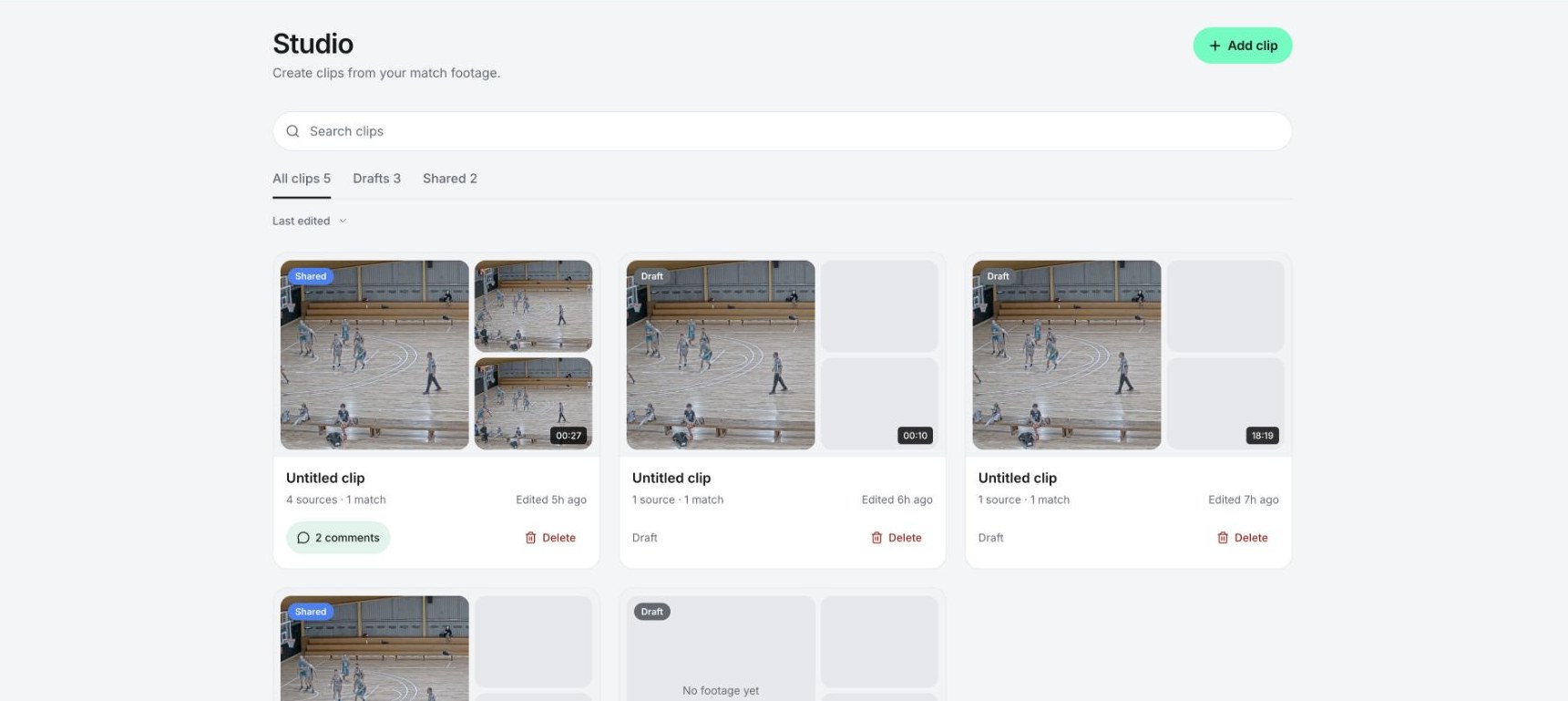
Studio's library of draft and shared coaching clips.
Create a coaching clip
Select Add clip, then add footage from an available match. Choose a useful moment and a manageable start and end point. In the editor, Add footage adds more source sections. Arrange the sources in the order you want to teach them.
Rename Untitled clip in the header. Use a title that describes the lesson, such as “Transition defence: finding the first threat.” The Clips panel lists the source sections; use its reorder controls or timeline handles to change their order.
Review the timeline
The editor separates video, overlays, players, and audio. Move the playhead to inspect a moment, use playback to review the sequence, and zoom the timeline for precise work. Select a source to inspect its settings. Remove only the selected item when tidying the sequence.
Add freezes, drawings, labels, or player tracks to explain the play. The Help menu offers an Editor walkthrough that guides you through the tools.
Saving and publishing
Changes save automatically. Wait for the header to show Saved before leaving. If it remains on Saving..., keep the editor open and check the connection. If Not saved · Retry appears, select it and wait for Saved. Do not leave while edits or recordings are still saving.
Saving a draft does not publish it. Use Publish when the finished clip is ready to share. Later edits stay private until Publish changes is completed.
Delete a Studio clip
Use the library’s Delete action and review the confirmation. Deletion removes the assembled clip, annotations, and recordings and cannot be undone in Studio. A published clip’s link stops working and its discussion is no longer available. The original match footage remains in Matches.
Related guides
Was this helpful?