
Update your profile, club, and team settings
Maintain names, branding, team details, and account information.
Update your profile
Open Settings > Profile. Review your first and last name and save changes with the profile control. Profile information belongs to your account; club and team information is managed in separate sections.
Change your email
Use the email change control, enter the new address, and choose Send Verification Code. Enter the six-digit code sent to the new address and choose Verify Code. Use the resend option after its countdown if needed. Finish the verification before assuming future sign-ins use the new address.
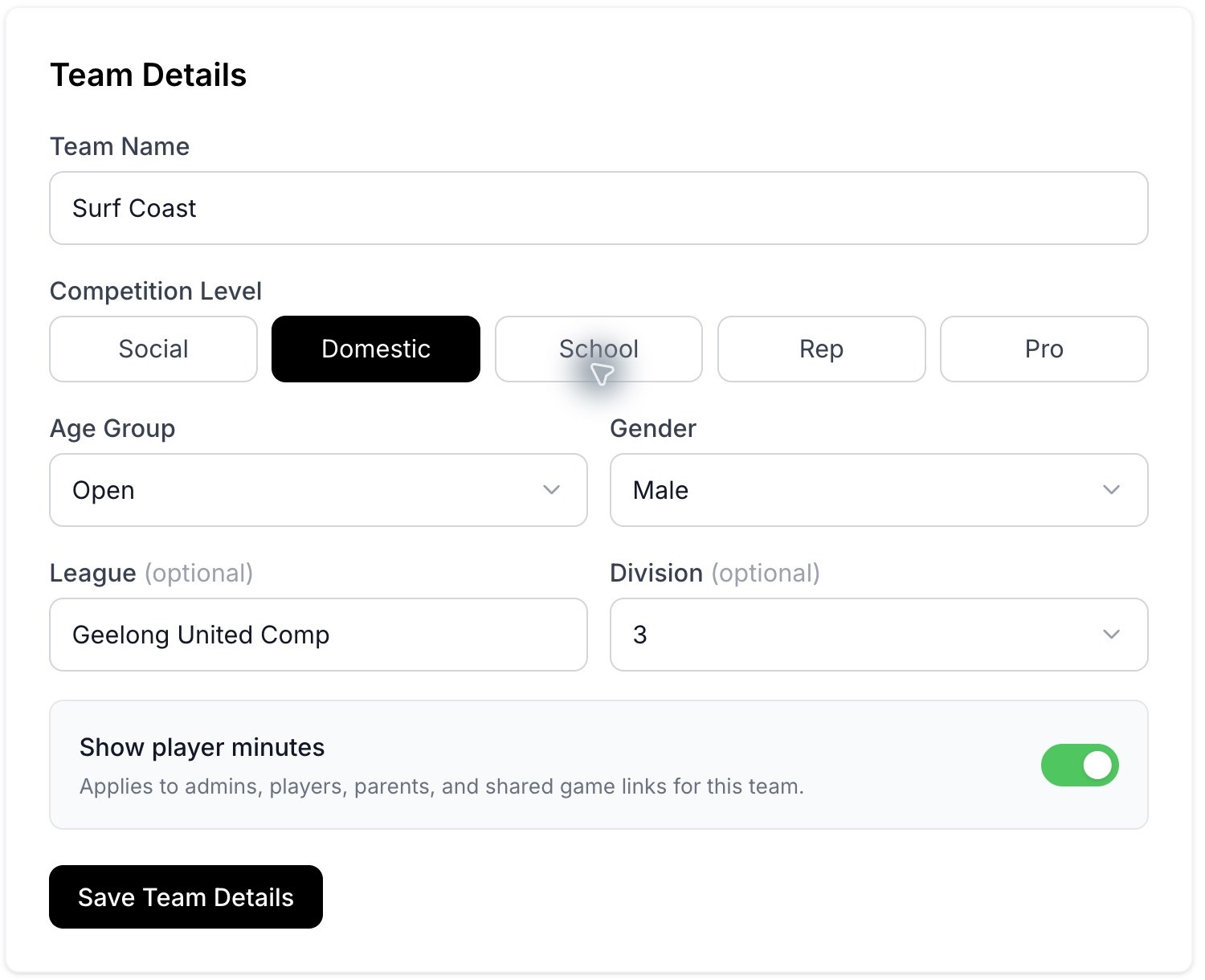
Team Details and the Show player minutes setting.
Update club branding
In Club Details, edit the club name, logo, colours, country, and state or province where permitted. Check the selected club before saving, especially when your account owns more than one.
Update the team
In Team Details, maintain the team name, competition level, age group, gender, league, and division. This section also contains Show player minutes, which applies to the team's different viewers and shared games.
Language and sign-out
Use the language control where available in the header. Use the profile menu for account actions such as signing out.
Team removal
The Danger Zone contains the team delete action. Read its confirmation carefully and verify the team name before using it. Contact support if a team was removed by mistake. If a save or edit control is missing, check your owner or editing permissions.
Related guides
Was this helpful?