
Your guide to the Superstat web portal
Find the right screen for uploading games, reviewing footage, and coaching your team.

Superstat brings your basketball footage, match statistics, player profiles, and coaching tools into one portal. Sign in at app.superstatsport.com.
Start with the right team
Check the team name at the top of the sidebar before uploading a game or editing information. Open the team selector to switch between teams you can access. On a smaller screen, open the sidebar with the menu button.
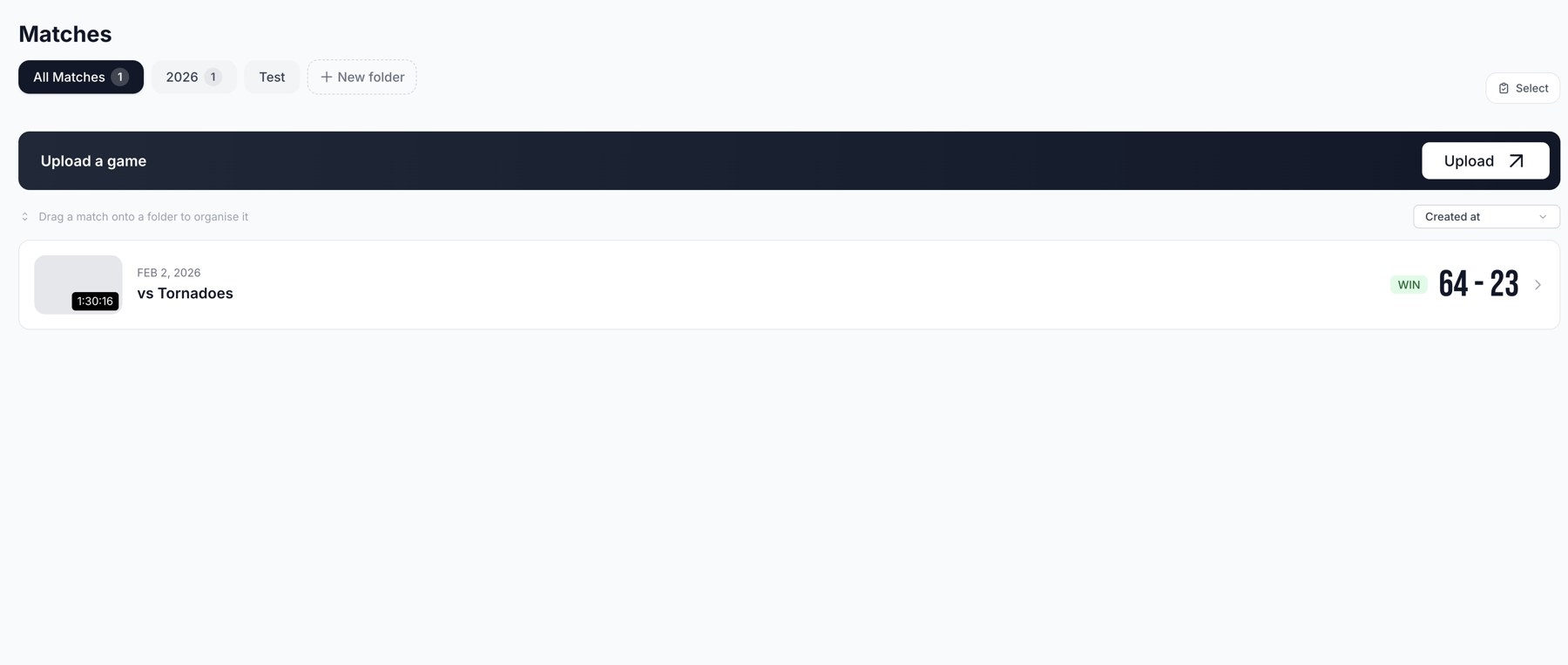
Matches: select the team, organise games, and open completed footage.
Choose a workspace
| Screen | Use it to |
|---|---|
| Matches | Upload games, resume drafts, organise folders, and open footage. |
| Players | Manage the roster, share a team code, and review player profiles. |
| Studio | Create annotated coaching clips, record explanations, and share them for discussion. |
| Highlights | Build branded player, match, and season reels. |
| Stats | Examine one game's team, player, and opposition statistics. |
| Assistant Coach | Ask questions about completed games and follow the supporting clips. |
| Insights | Read team, player, and opposition analysis. |
| Performance | Compare results across completed games or selected folders. |
| Resources | Open reports, votes, reviews, fatigue, momentum, and scouting tools. |
| Settings | Update profile, club, team, and member access. |
| Credits | Review upload balances and manage purchases or a subscription. |
Your first workflow
Set up your team, check the roster, and upload a game. When processing completes, open the game from Matches, review its stats, and use Highlights or Assistant Coach for the next step.
Some screens depend on your access. Player accounts have a more limited view. Studio is available on a laptop or desktop and requires a separate Studio subscription or eligible trial; shared clips can be watched on any device.
Related guides
Was this helpful?