
Correct stats and add custom events
Edit recorded plays and label the moments your team wants to track.
Before editing
Open the game and watch the relevant play first. Event changes affect the game's statistics, so confirm the player, event type, and result before saving. Editing controls require team editing access.
Correct an event
- Find the play in the
Clipspanel. - Open its edit control.
- Select the correct stat type and player. For event types with a result, choose the correct success or miss value.
- Save and check the updated play and totals.
For opposition events, select the correct opposition player where those options are available. Use the opposition roster editor to correct player names or numbers.
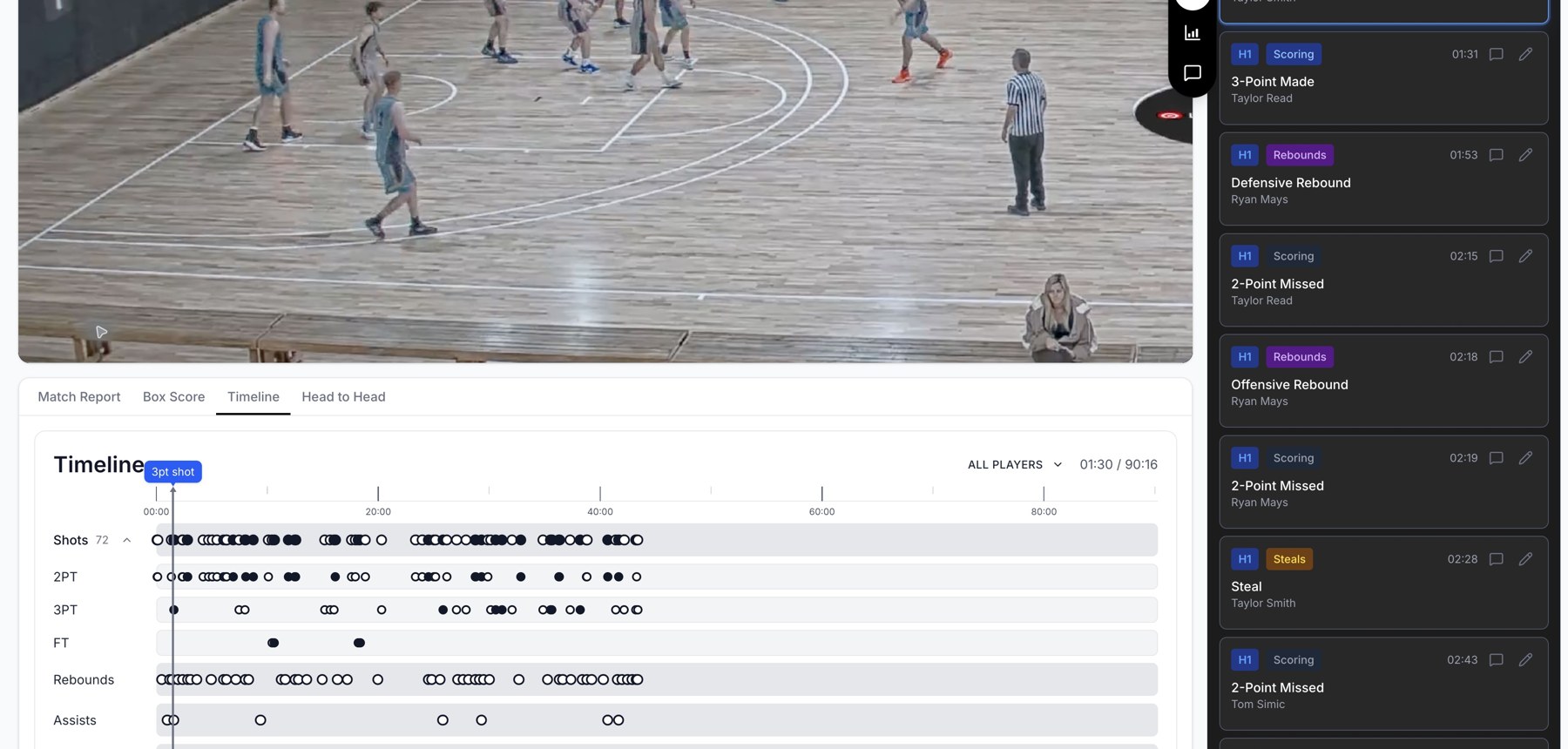
Game review combines footage, a clip list, and a timeline of events.
Add a missing or custom event
Use the panel's add-event controls and set the player, stat type, and time for the play. A custom stat type lets you label a coaching event beyond the built-in categories. Choose an existing custom type when it already describes the moment, so your filters stay consistent.
Remove carefully
Deleting an event removes that recorded play from the dataset. Deleting a custom stat type can also delete every event using it: the confirmation reports its usage. Check that count before confirming.
Refresh generated analysis
After editing stats, Insights or Resources may report that their content is out of date. Use the displayed refresh or regenerate action and verify the new analysis against the corrected footage.
Related guides
Was this helpful?