
Use Assistant Coach
Ask questions about your team’s completed games and inspect the evidence.
Start with a completed game
Choose the team in the sidebar and open Assistant Coach. The page shows how many completed games it can use. If it says “No game data yet”, upload a game and wait for its processing to finish.
Ask a useful question
Choose a suggested question or type your own. Name the game, player, or comparison you want. For example:
- “Summarise our last game.”
- “Which players created the most assists in the last game?”
- “Show the clips behind our turnovers against this opponent.”
- “How has our shooting changed across the completed games?”
Start with one question, review the answer, and ask a follow-up to narrow it. The assistant can return text, statistics, and clip-based components when the underlying data is available.
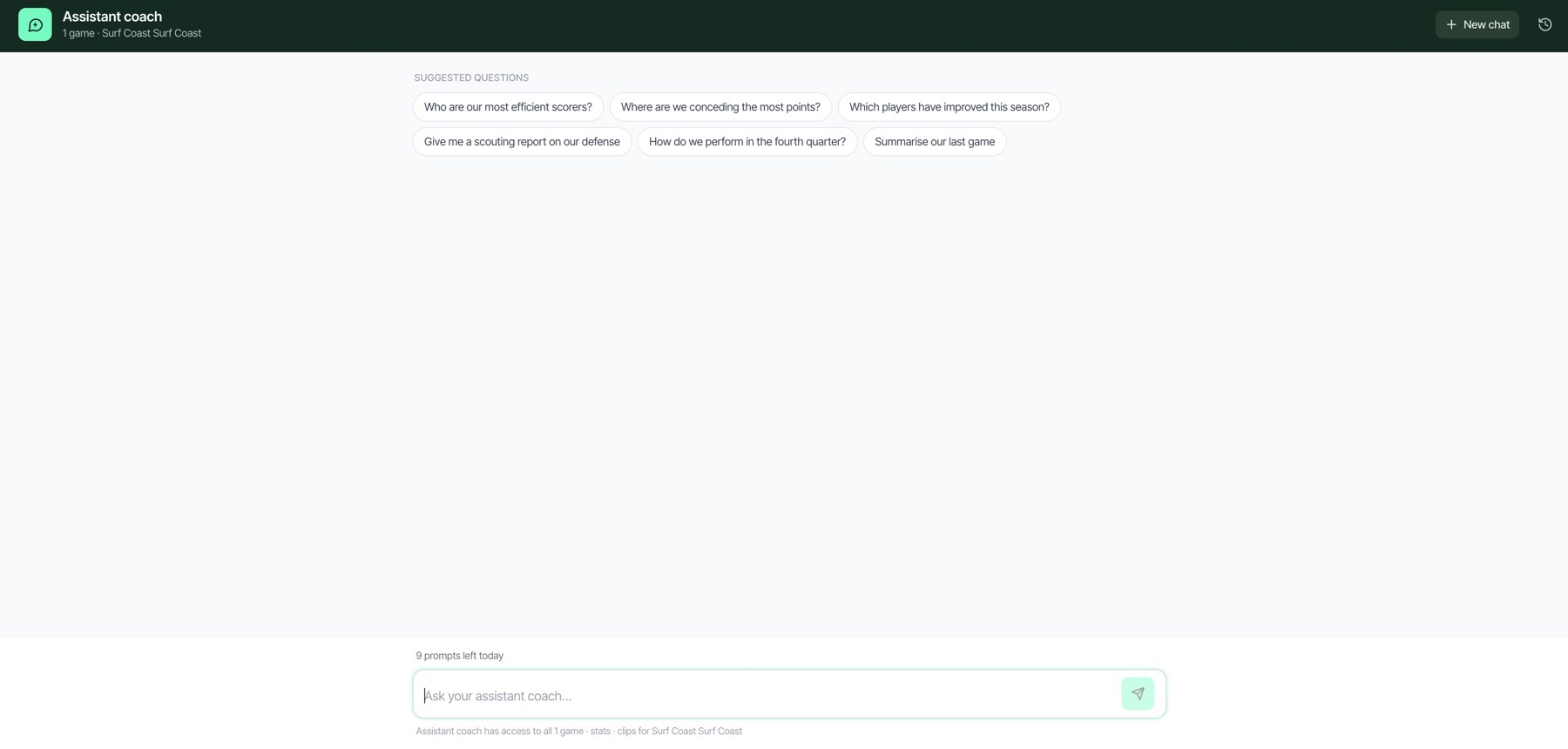
Assistant Coach suggestions and the question composer.
Follow the evidence
Play the linked clips and use Open full game when you need the surrounding action. Compare the answer with the recorded stats, particularly after correcting an event. Generated coaching analysis can require your judgment and should be checked against the footage.
Manage conversations
Use New chat for a different topic and the conversation list to return to earlier chats available in the browser. You can edit a question or retry a failed answer using its controls. Conversation history is stored in the browser, so do not rely on it as a permanent shared record.
Limits and access
The page shows the daily prompt limit when it is reached. Use the reset information shown by the app rather than repeatedly retrying. Assistant Coach is not available to player-only accounts.
Related guides
Was this helpful?