
Explore team, player, and opposition insights
Use generated analysis to turn recorded plays into coaching questions.
Open Insights
Select Insights in the sidebar. Choose a game for the Team or Player view, then select the relevant tab.
Team provides an overview and closer analysis of that game's performance. Player lets you focus on a roster player, including areas such as shot mix, points per shot, assist rate, turnovers, rebounds, and defensive impact. Opposition offers the available opponent analysis for your team.
Review the evidence
Treat an insight as a starting point for reviewing the game. Follow the linked plays where available, check the selected player and match, and compare the claim with the footage. Small samples can look different from the team's longer-term pattern.
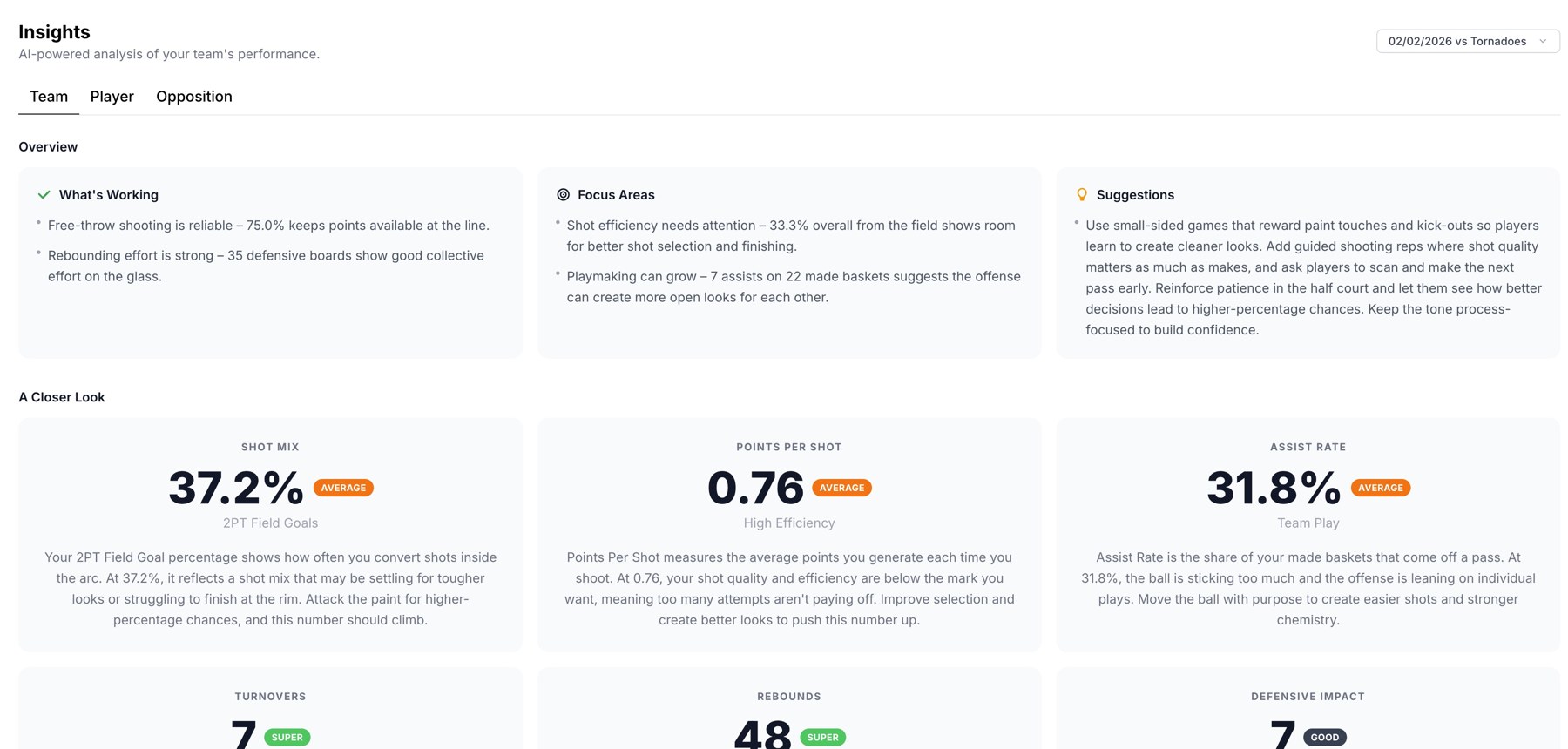
Team analysis with strengths, focus areas, and suggestions.
Refresh after stat edits
If recorded events have changed, the page can show Refresh insights after stat edits. Select it, wait for the update, and review the refreshed analysis. The screen shows an error if regeneration fails; try again when the service is available.
No insights yet
A new game may still be processing. If there are no matches, upload the first game. If a player's analysis is missing, check that their events are assigned to the correct roster profile.
For a specific follow-up such as “Which turnovers led to transition scores?”, use Assistant Coach with the same team selected.
Related guides
Was this helpful?