
Manage your roster and player profiles
Add players, update their details, and open their game history.

Add or edit a player
Open Players for the correct team. Use the add-player action to enter a first name, last name, email where applicable, and jersey number. Use the player's edit control to correct an existing record rather than creating another copy.
Roster changes require editing access. Check names carefully when two players share a first name or jersey number has changed between games.
Open a profile
Select a player to see their profile, season statistics, recent games, and available highlights. The profile can also show a scouting report and comparisons when there is enough data.
Editors can use Edit info to maintain profile details such as position, height, and date of birth. Only add information you intend to retain for that player. The profile's public-share control may be marked “coming soon”; use the existing team invitation or game-sharing flows when that control is unavailable.
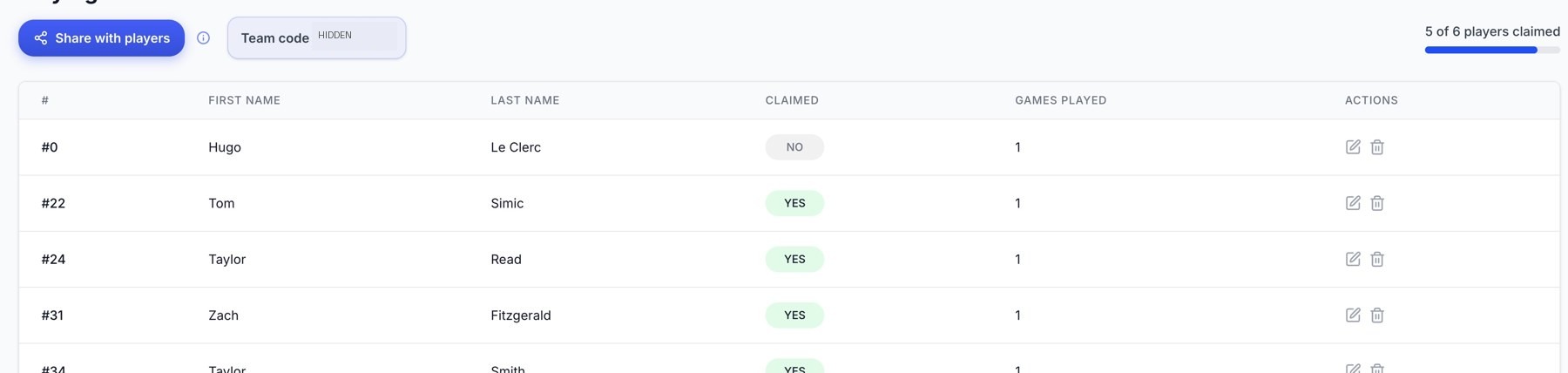
Playing Roster: claim status and player actions. The team code is obscured.
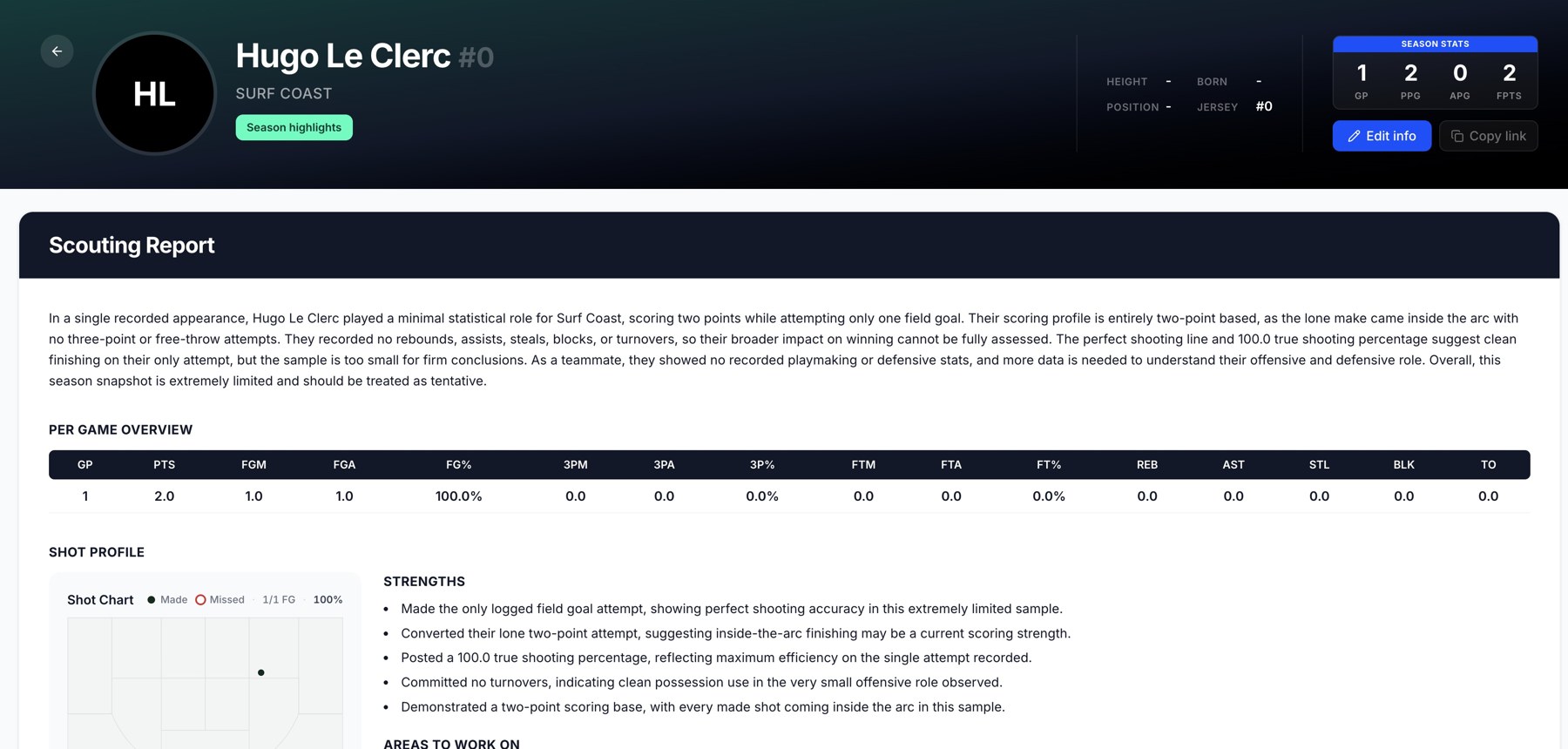
A demo player profile with scouting information and game statistics.
Review a game
Use Recent Games or the profile's highlight links to move from the season overview to a specific performance. Check the games-played sample before interpreting averages or comparisons.
Remove a roster entry
Use the player's remove action only after checking that it is the intended record. If two entries belong to the same person, use the duplicate-player merge workflow instead of deleting one and losing the connection to their history.
Related guides
Was this helpful?