
Read team, player, and opposition stats
Explore a single game’s box score, shooting, and linked footage.

Select a game
Open Stats and choose the match from the selector. A “Match Processing” message means the statistics are still being generated; return after processing completes.
Choose a tab
Team Stats summarises your team's scoring and other recorded events. Player Stats focuses on a selected player. Opposition Stats shows the other team's information when opposition analysis is enabled for that match.
Use the court view and its period and player filters to narrow the events. The shooting breakdown distinguishes made and attempted shots and the associated percentages. Check the active filters before comparing two numbers.
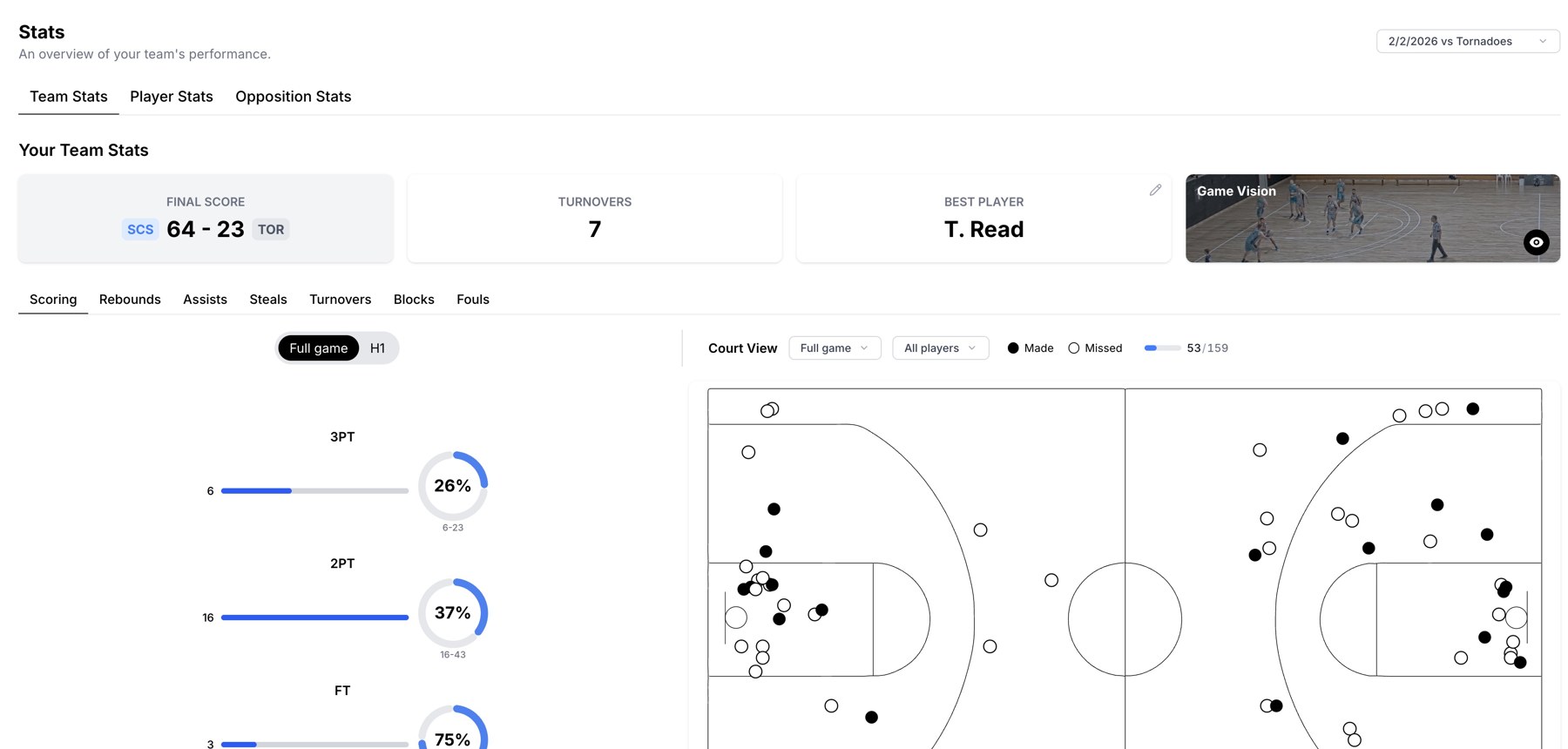
Team statistics and a shot chart for the selected game.
Connect a number to the footage
Where a stat or event opens Game Vision, use it to review the plays behind the total. Video availability depends on the match having playable footage. Use the match viewer if you need to inspect or correct an individual event.
Understand the scope
Stats is a single-game view. Use Performance for results across several completed games, and Players for an individual player's wider profile. Player-only access can limit which player's detail is available.
Missing opposition data
Opposition statistics require analysis for both teams on that game. A credit balance alone does not mean every existing game has opposition data. Check the game's analysis status and contact support if it differs from what was purchased.
Related guides
Was this helpful?