
Review player votes and a season leaderboard
Use match votes and aggregate them across selected games.

Review one game
Open Resources > Votes and select the game. Review the generated 3–2–1 player votes and their explanations against the game footage and box score. Use the regenerate control if the underlying event data has changed or a new result is needed.
These votes are a generated assessment. Review them before using them for your club's own awards or decisions.
Build the season view
The Season votes card shows the Best & Fairest leaderboard. Use its game filter to choose the completed matches that belong in the comparison. The table shows total votes, counts of 3s, 2s, and 1s, and the games represented.
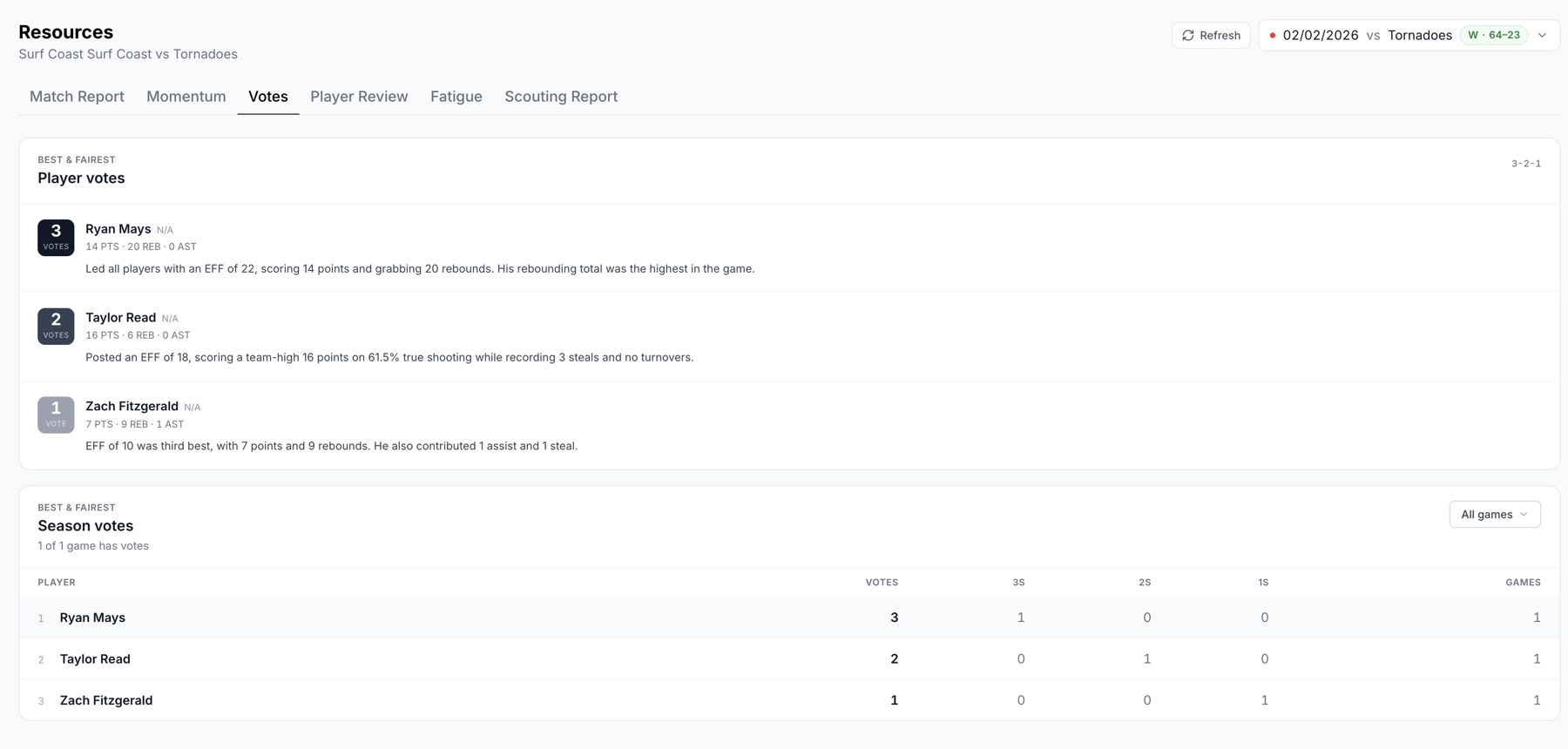
Game votes and the season leaderboard.
Check coverage
The card reports how many selected games have votes. A game without generated votes does not contribute a set of votes. If the leaderboard is empty or incomplete, open Votes for the missing games to generate them, then return to the season view.
Keep the selection consistent
Choose the same competition or season scope before comparing players. A player appearing in more analysed games has more opportunities to collect votes, so review the Games column alongside the total.
The best-player edit in Team Stats is a separate feature and does not replace the season-votes workflow.
Related guides
Was this helpful?