
Compare performance across a season
Use aggregated team and player results, folder filters, and box-score views.
Choose the games to include
Open Performance. With no folder filter selected, the page aggregates completed games for the selected team. Use the folder filter to focus on a season, competition, or another group you created in Matches. You can select more than one folder.
Read the page subtitle to confirm the scope before interpreting a trend. Processing games are not part of the completed-game aggregate.
Compare the three views
| Tab | What to inspect |
|---|---|
| Team | Games analysed, scoring and other averages, win rate, trends, and leaderboards. |
| Player | One player's games, average production, and performance charts. |
| Box Score | Roster statistics with the available per-game and total views. |
Use the player selector in the Player tab. Player-only accounts can be limited to their own profile. In tables, check whether a column represents a total, per-game value, or percentage.
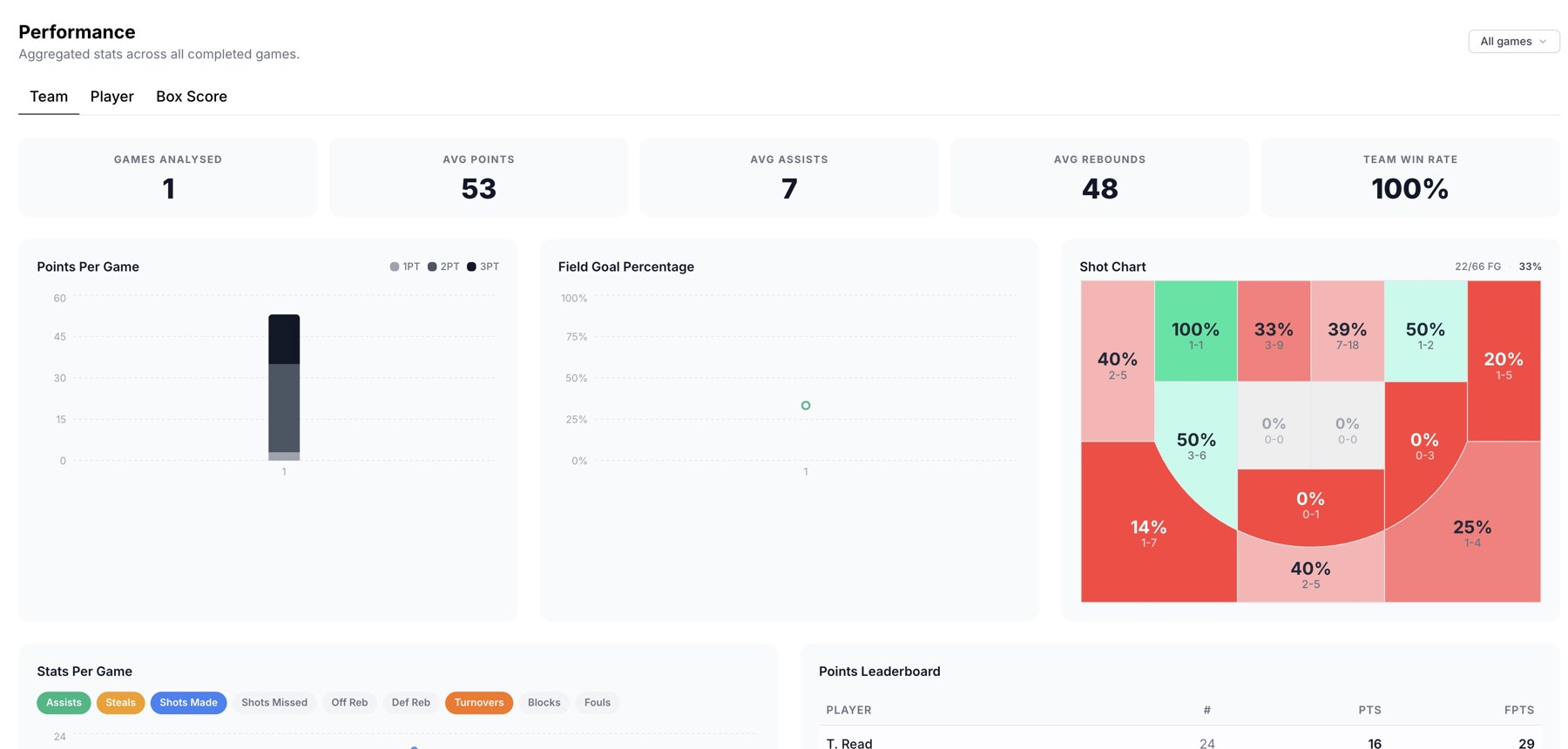
Season performance, aggregated metrics, and shooting zones.
Read shooting patterns
Use the shot profile and court chart where shown to compare where shots come from and how efficiently they are converted. Compare the attempt volume as well as the percentage: a small number of attempts gives less evidence than a larger sample.
Keep comparisons consistent
Use the same folder selection and statistical view when comparing players or periods. For a single game's underlying plays, return to Stats or open that match's footage.
Related guides
Was this helpful?