
Manage your subscription and billing
Review plan usage and open the billing portal.

Review the current plan
Open Credits for a team in the correct club. If the club has a subscription, the page shows its plan and status, usage where applicable, and the trial or billing-period end date.
The Billing route leads to Credits, so use Credits as the starting point for the current web portal.
Manage the subscription
The club owner can select Manage subscription to open the billing portal. Review the options offered there for the current subscription. Changes to a plan or payment method take place in that portal; follow its confirmation and effective-date information.
If the app offers a plan change or trial activation, review the price, billing interval, and when the change takes effect before confirming. The available options depend on the current subscription and configuration.
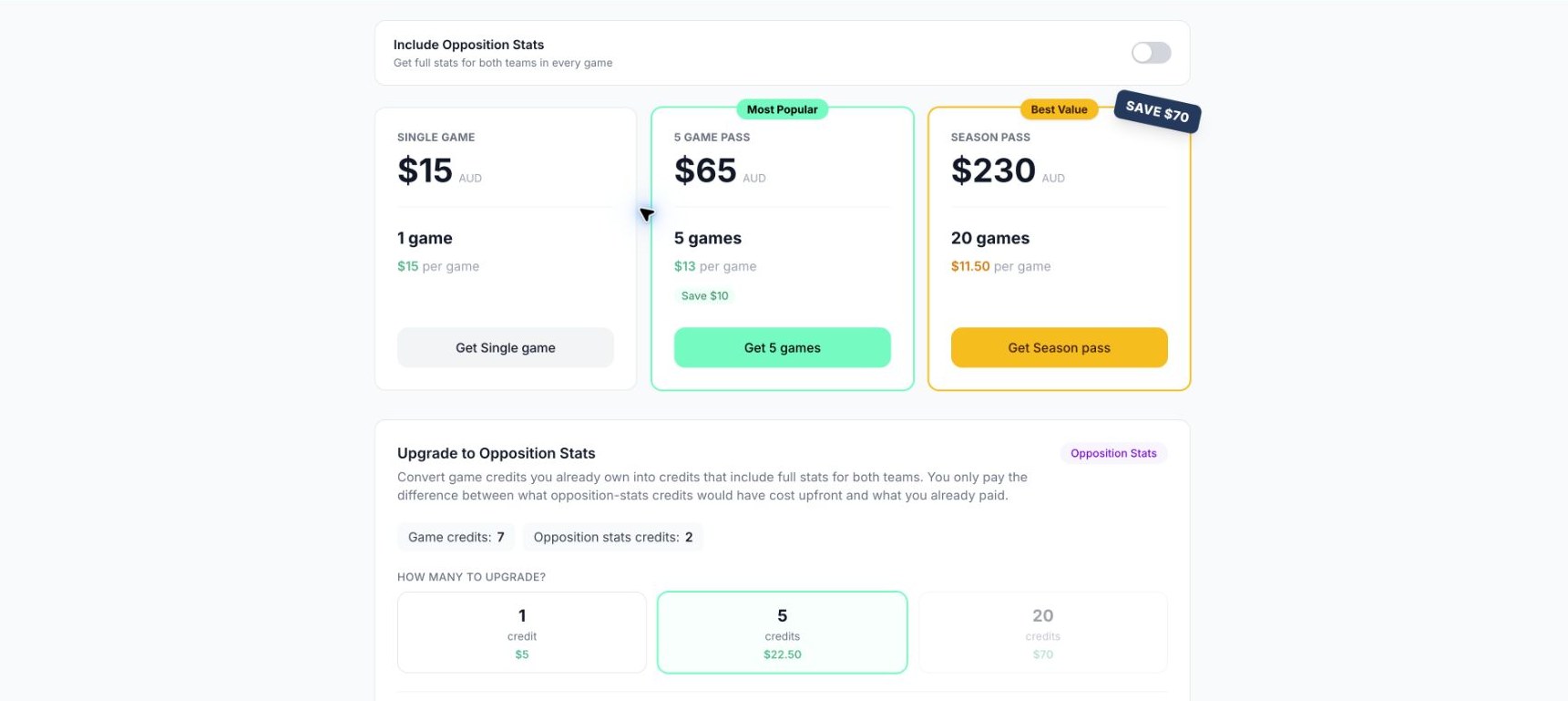
Credit packages and opposition upgrades. Use the live app for current prices.
Check the result
Return to Superstat after completing a change and verify the plan status and upload allowance. A payment confirmation and the portal's refreshed entitlement may not appear at exactly the same moment.
Troubleshooting
If the manage button is unavailable, check that you are the owner of the selected club. If a completed purchase or plan change does not appear, reload once and contact support with the club name, account email, and transaction reference. Avoid starting a second purchase to fix an unexplained delay.
Related guides
Was this helpful?